Local testing playground
A single Docker Compose file spins up webgate alongside every supporting service it can talk to, so you can exercise every feature end-to-end without touching a real server:
- 2 SSH targets on a public network (
ssh-demo,ssh-bastion) - 1 SSH target on a private network (
ssh-internal) that webgate cannot reach directly — proves the jump-host tunnel is real - OpenLDAP pre-seeded with
alice(admin) andbob(non-admin) - HTTP echo server to receive webhooks and show their payload
- Session recording turned on so every SSH session is captured to an asciinema cast
Bring up the stack
After ~20 seconds:
$ curl -s http://localhost:8443/api/health
{"status":"ok","instance_id":"...","monitor_role":"leader"}
Available credentials (printed in docker logs pg-ldap-seed):
| User | Password | Origin | Role |
|---|---|---|---|
| alice | alicepass |
LDAP | admin (auto-provisioned) |
| bob | bobpass |
LDAP | non-admin (group production) |
| admin | admin |
local | admin (first-login password change) |
Network topology
flowchart LR
    U["Your browser"]
    subgraph public ["Docker network: public"]
        WG["webgate<br/>:8443"]
        LDAP["openldap"]
        HOOK["webhook-receiver"]
        D["ssh-demo"]
        B["ssh-bastion"]
    end
    subgraph private ["Docker network: private"]
        I["ssh-internal"]
    end
    U -- HTTPS :8443 --> WG
    WG --> LDAP
    WG --> HOOK
    WG -- SSH --> D
    WG -- SSH --> B
    WG -. "NO direct route" .-> I
    B -- SSH tunnel --> I
    style WG fill:#5cb85c,stroke:#449d44,color:#fff
    style B fill:#ffcc02,stroke:#e6a800,color:#333
    style I fill:#fff3e0,stroke:#ff9800
webgate and ssh-internal share no network, so reaching ssh-internal is only possible via the bastion.
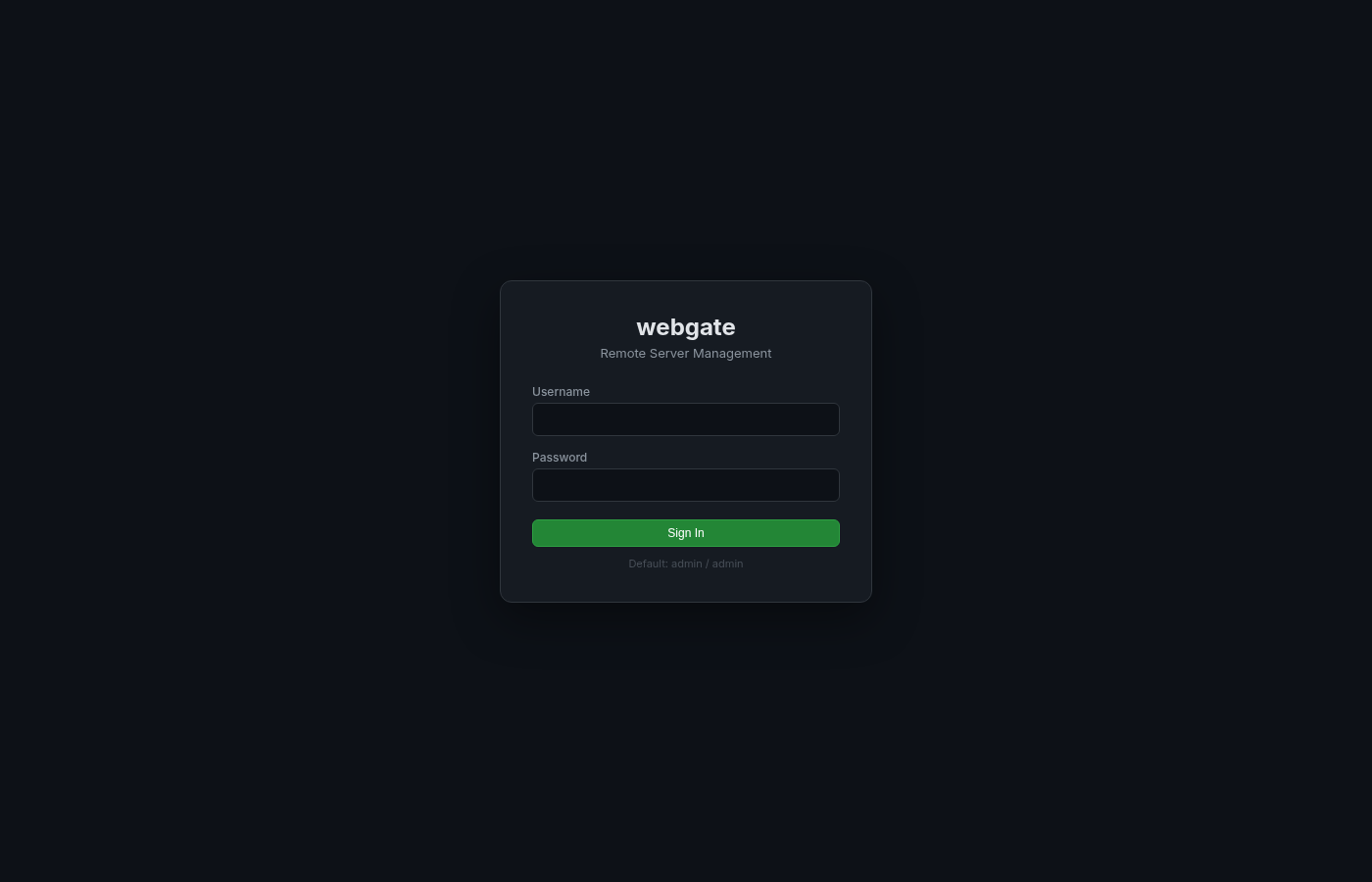
1 · LDAP login (no local account needed)
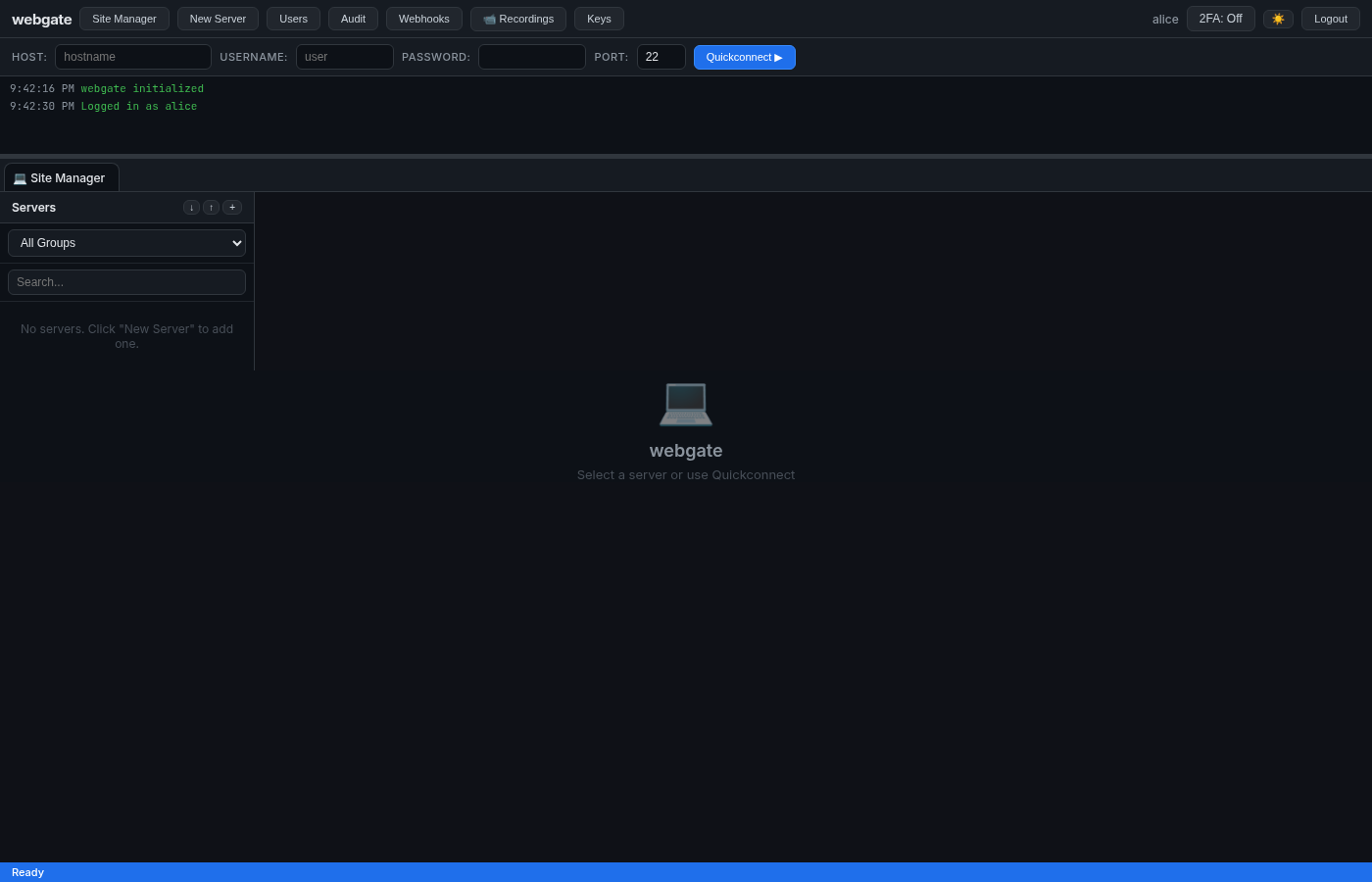
Log in directly as an LDAP user. The alice row doesn't exist in webgate's local DB on first startup — LDAP auth succeeds, the local row is auto-provisioned, and the LDAP group memberships are mapped into allowed_groups and is_admin.
# Verify the auto-provisioned identity
TOKEN=$(curl -s -X POST http://localhost:8443/api/auth/login \
  -H 'Content-Type: application/json' \
  -d '{"username":"alice","password":"alicepass"}' | jq -r .access_token)
curl -s http://localhost:8443/api/auth/me -H "Authorization: Bearer $TOKEN" | jq
# {
#   "username": "alice",
#   "is_admin": true,
#   "allowed_groups": ["all", "production"]  ← mapped from LDAP groups admins + devs
# }
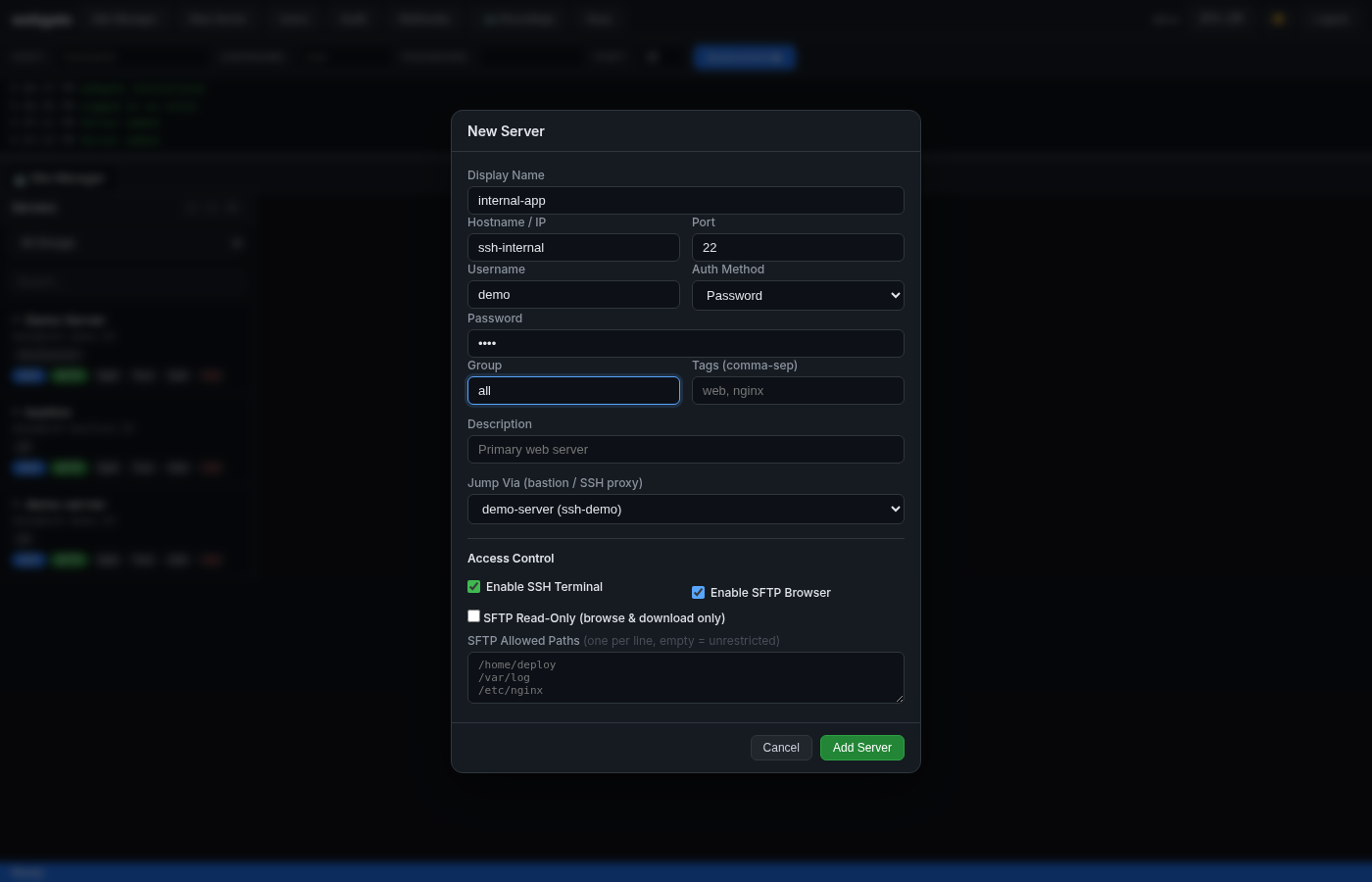
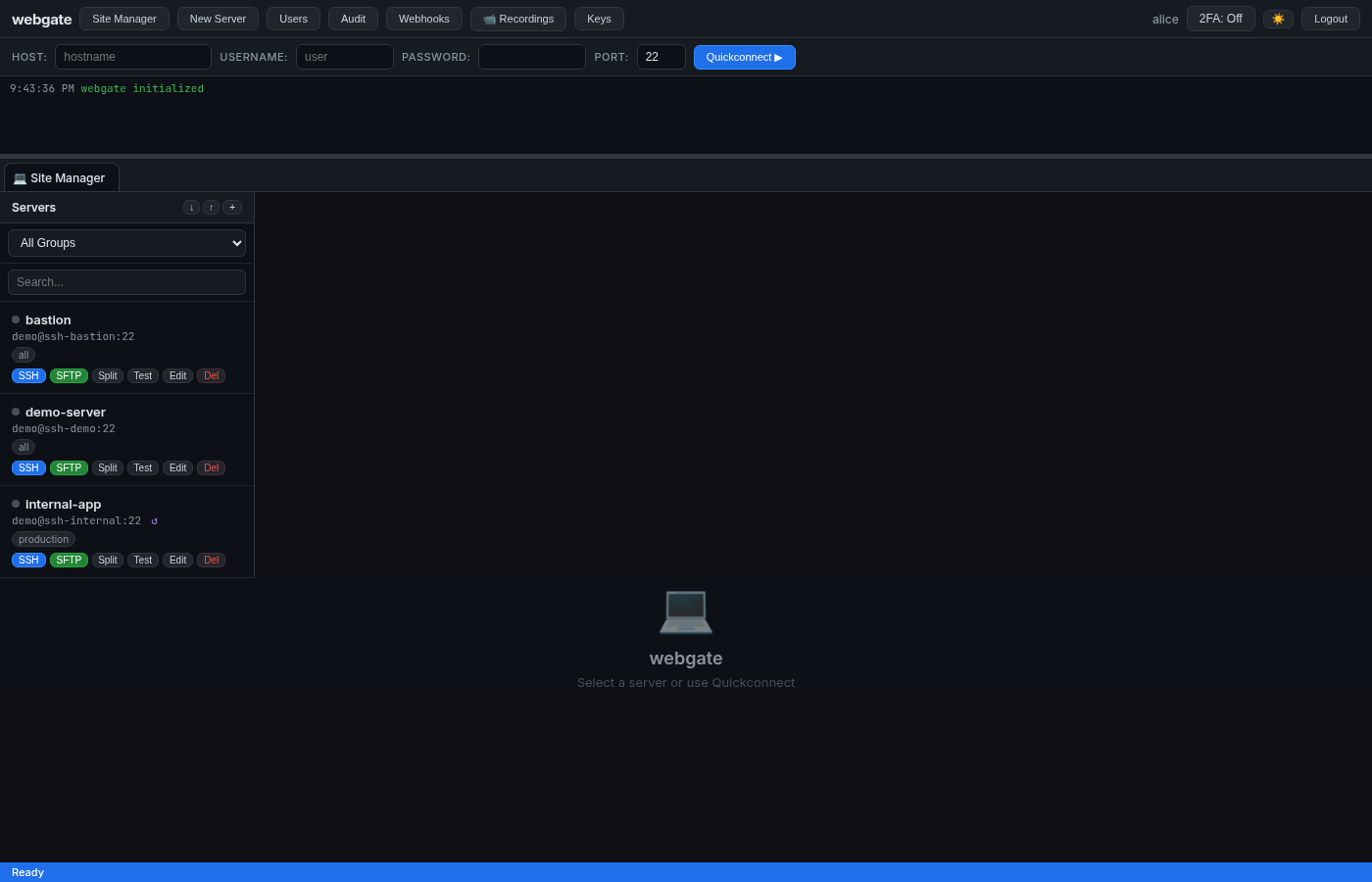
2 · Add 3 servers (including a jump-host)
Via the UI (Site Manager → New Server) or via API:
# demo-server  (reachable directly)
curl -X POST http://localhost:8443/api/servers -H "Authorization: Bearer $TOKEN" -H 'Content-Type: application/json' \
  -d '{"name":"demo-server","hostname":"ssh-demo","port":22,"username":"demo","password":"demo","group":"all"}'

# bastion (reachable directly, public)
curl -X POST http://localhost:8443/api/servers -H "Authorization: Bearer $TOKEN" -H 'Content-Type: application/json' \
  -d '{"name":"bastion","hostname":"ssh-bastion","port":22,"username":"demo","password":"demo","group":"all"}'

# internal-app  (only reachable VIA bastion)
curl -X POST http://localhost:8443/api/servers -H "Authorization: Bearer $TOKEN" -H 'Content-Type: application/json' \
  -d '{"name":"internal-app","hostname":"ssh-internal","port":22,"username":"demo","password":"demo","group":"production","jump_via_id":2}'
Prove the jump-host is real
# webgate cannot resolve ssh-internal directly:
docker exec pg-webgate sh -c 'getent hosts ssh-internal'
# → (empty / "not resolvable")

# But connectivity test succeeds because it tunnels through the bastion:
for id in 1 2 3; do
  curl -s -X POST "http://localhost:8443/api/servers/$id/test" \
    -H "Authorization: Bearer $TOKEN"
  echo
done
# server 1: {"success":true,"message":"Connection successful"}
# server 2: {"success":true,"message":"Connection successful"}
# server 3: {"success":true,"message":"Connection successful (via jump host)"}
3 · SSH terminal through the jump host
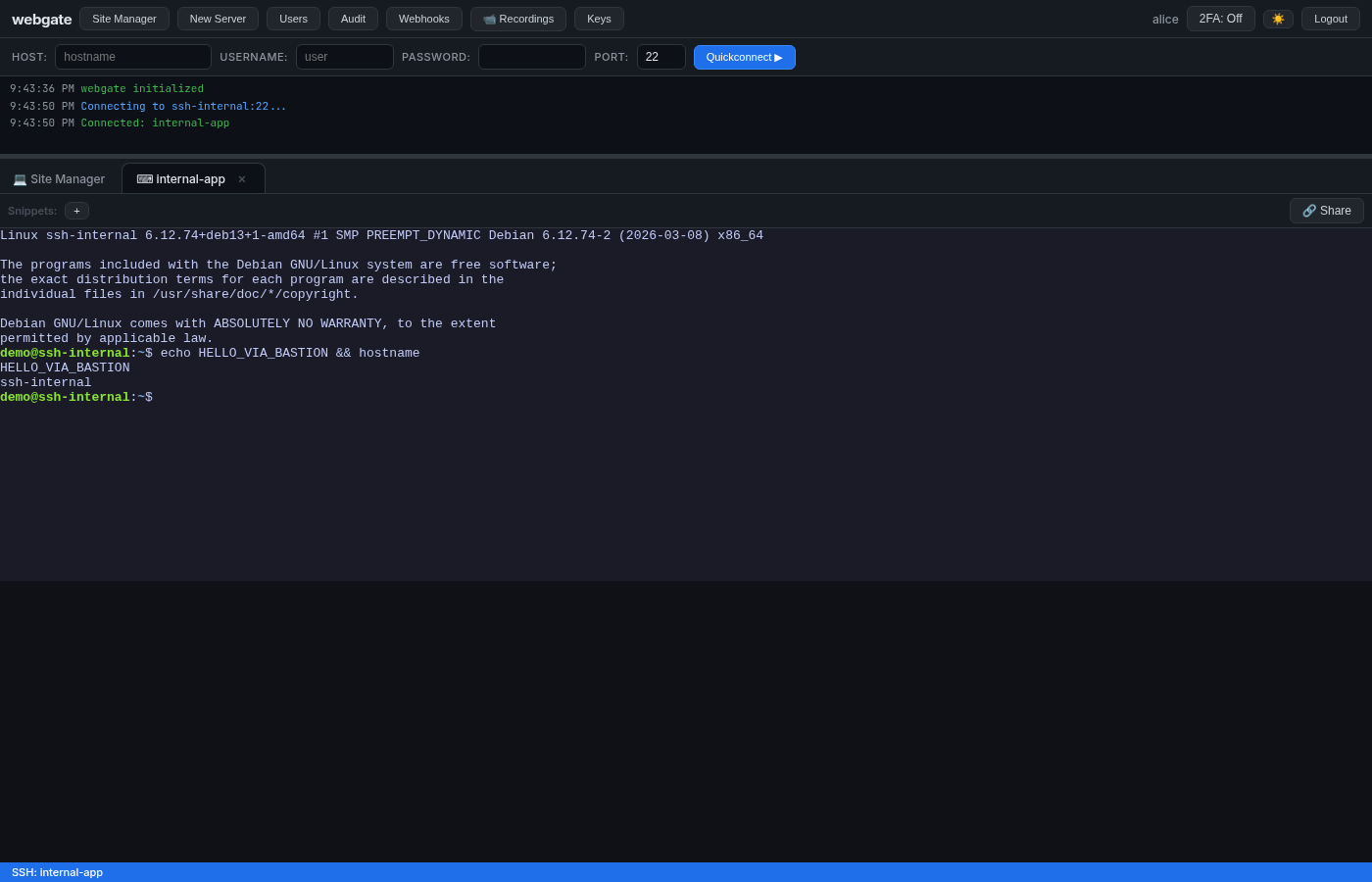
Click SSH on internal-app. Type hostname — you're inside the private server that webgate can't reach directly.
4 · Snippets
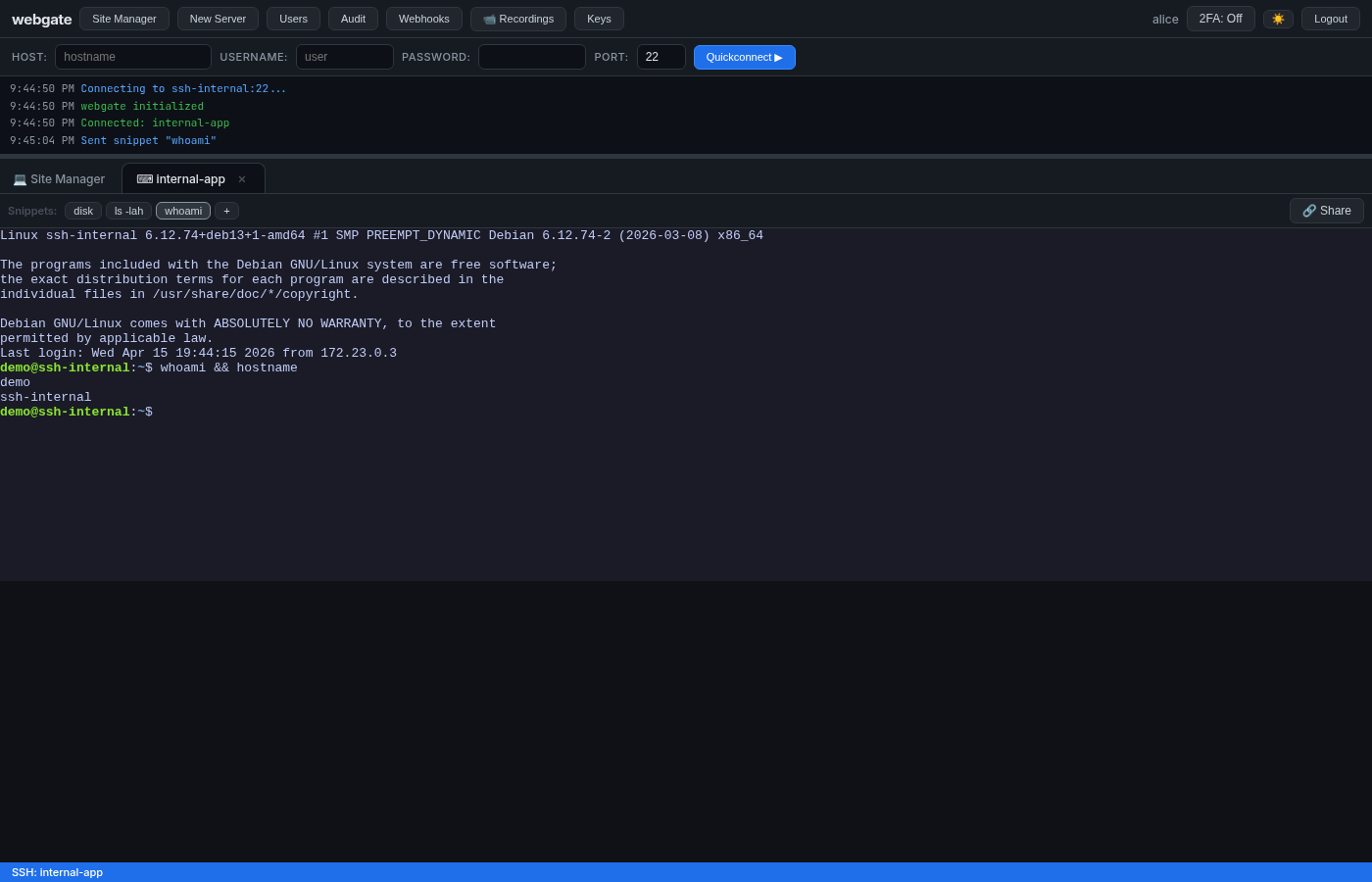
Create a few snippets (toolbar + button, or via API). Click a button to send command + Enter to the active session:
5 · Shared terminal session
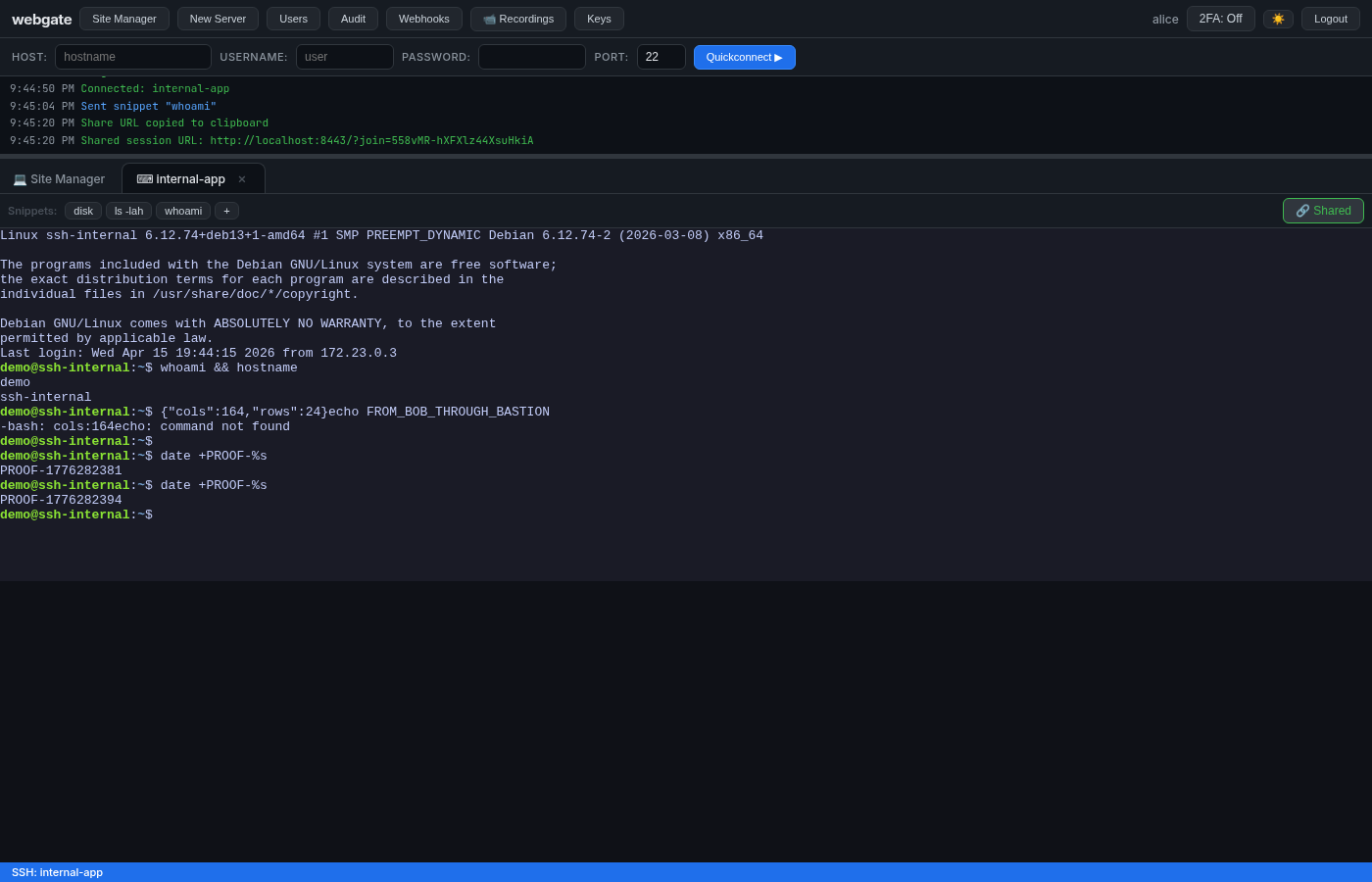
- In alice's terminal toolbar click 🔗 Share → URL is copied to clipboard
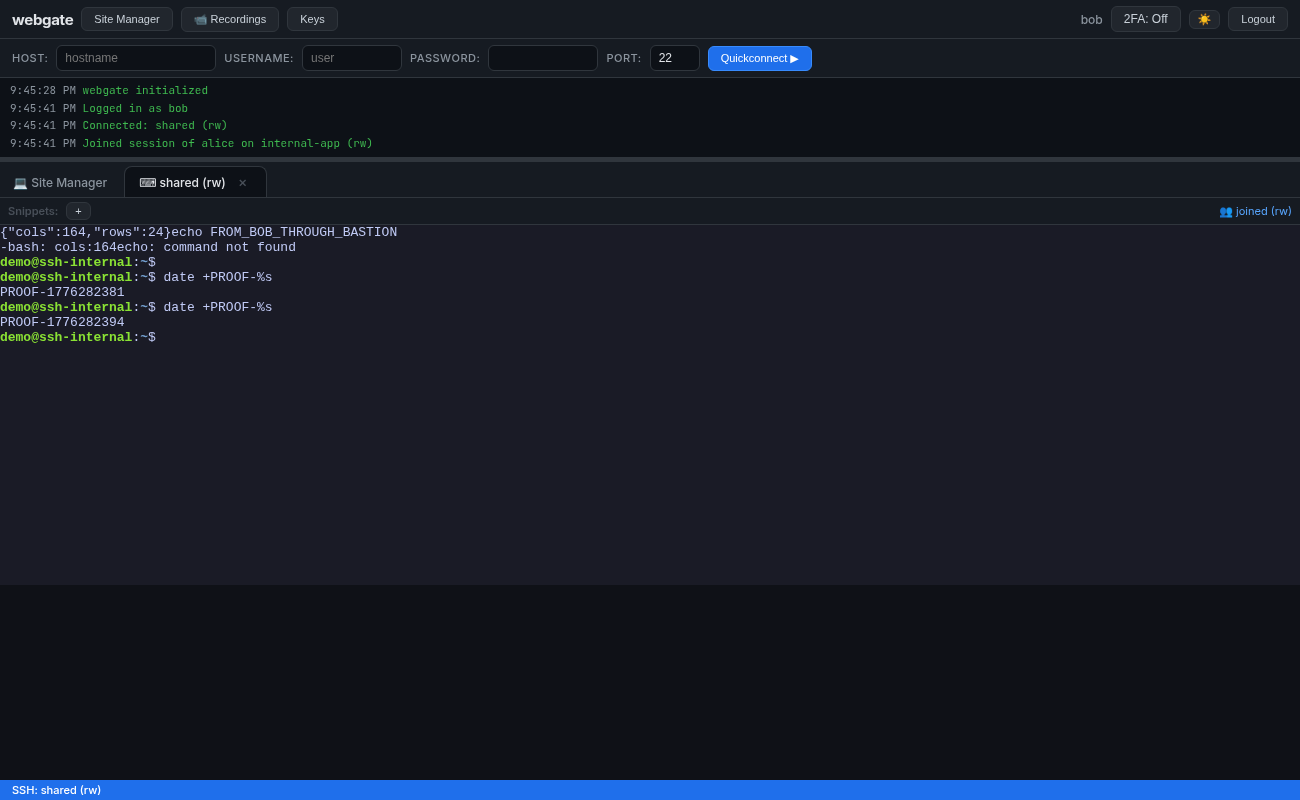
- Open the URL in another browser / incognito, log in as
bob - bob's URL has
?join=<token>→ he attaches to the same live session in read-write mode
Both browsers broadcast the same PTY output:
| Owner (alice) | Joiner (bob) |
|---|---|
 |
 |
Note both logs show
PROOF-1776282394— the exact samedate +PROOF-%soutput, delivered by a single SSH PTY to two different WebSockets.
6 · Webhooks
Register a webhook pointing at the echo receiver, click Test, then check what the receiver saw:
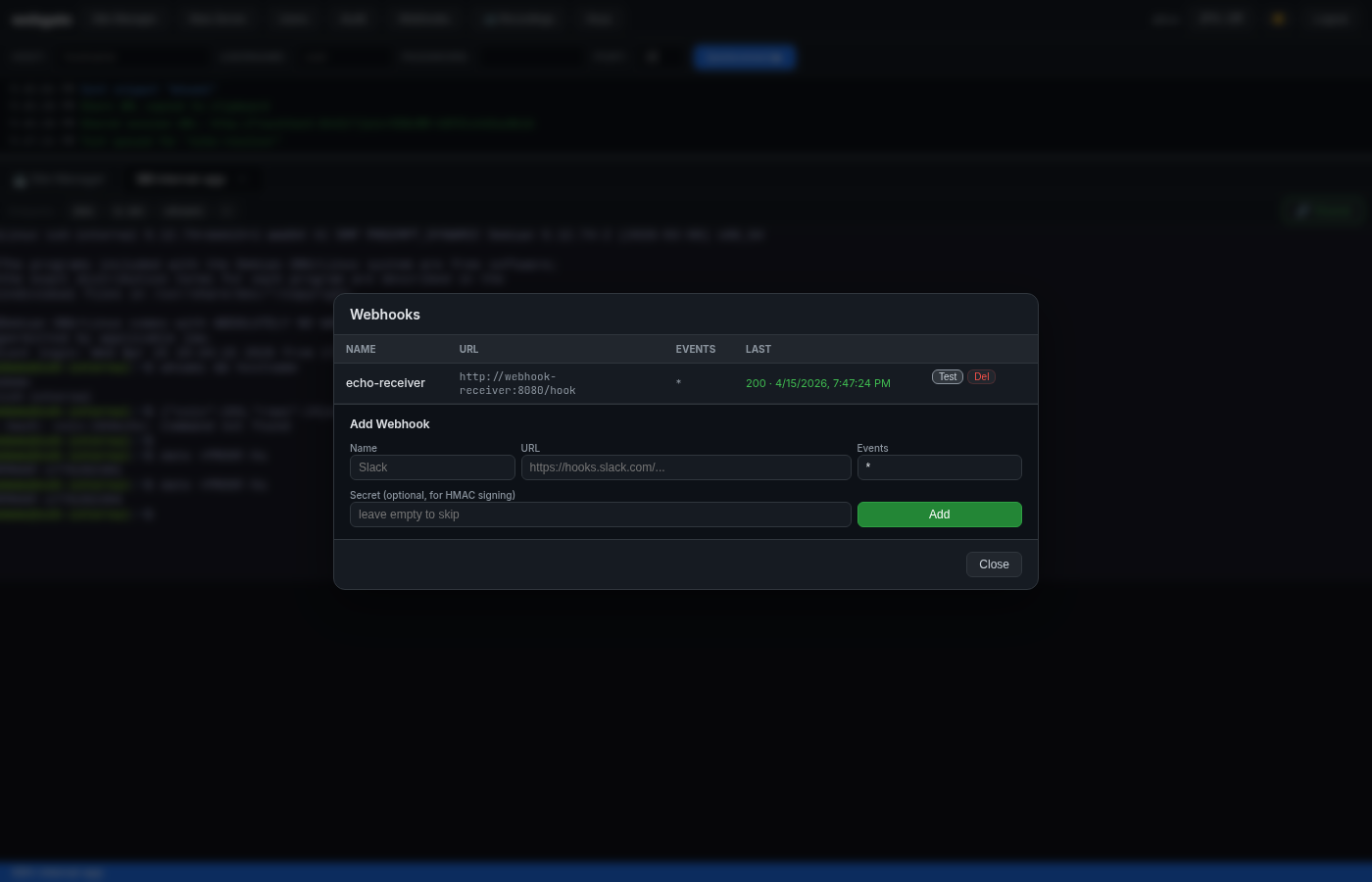
docker logs pg-webhook-receiver | grep -A 5 '"event": "test"'
# {
#   "event": "test",
#   "timestamp": "...",
#   "data": { "webhook_id": 1, "name": "echo-receiver", "triggered_by": "alice" }
# }
# X-Webgate-Signature: sha256=<hmac of body>  ← verifiable with the secret
Real events (user_login, ssh_connect, server_added, …) fire the same webhook automatically.
7 · Session recordings
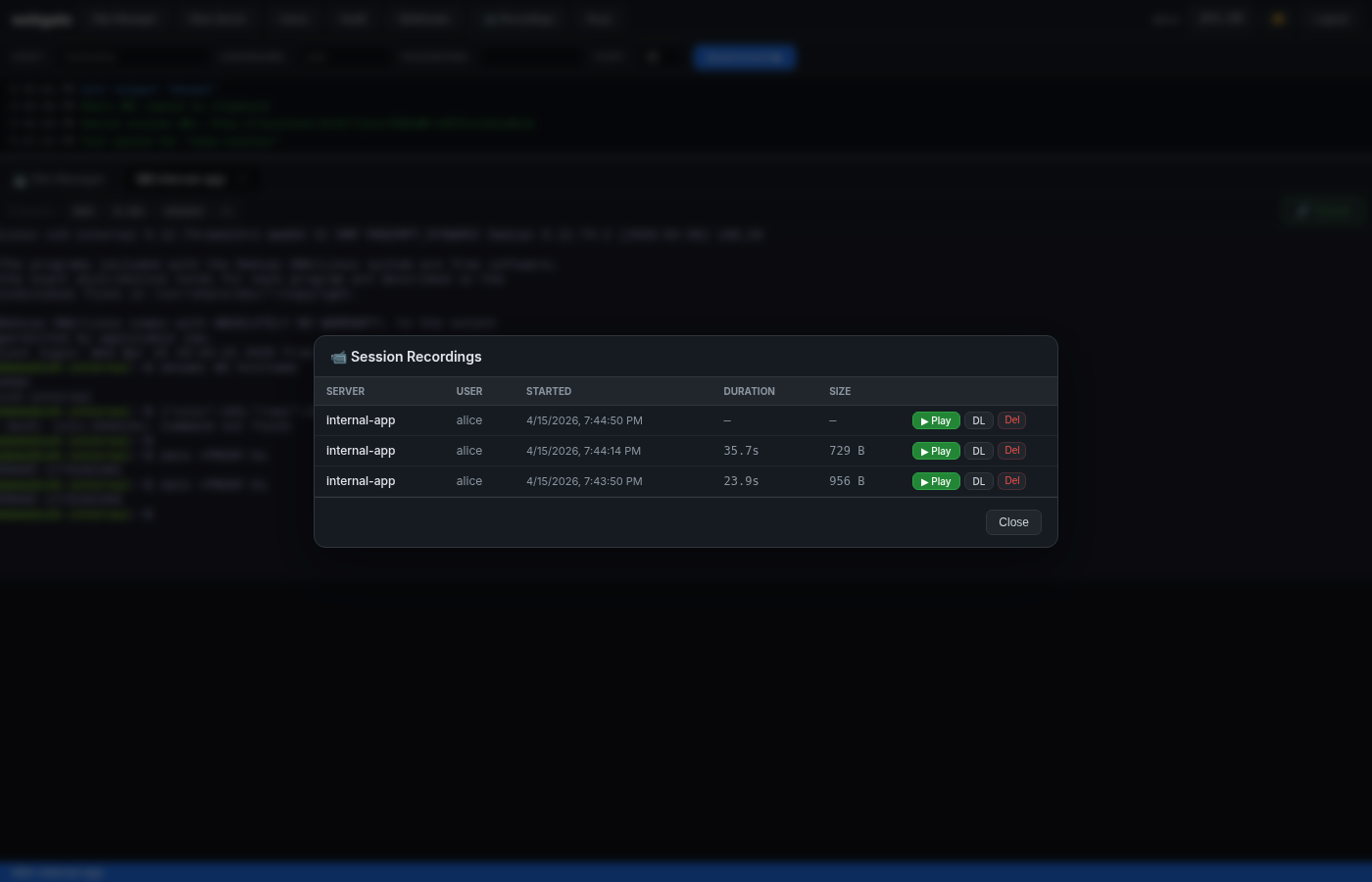
Because WEBGATE_RECORD_SESSIONS=true was set in compose.playground.yml, every SSH session gets captured.
Open 📹 Recordings in the top toolbar:
Click ▶ Play to replay the session in the browser with asciinema-player:
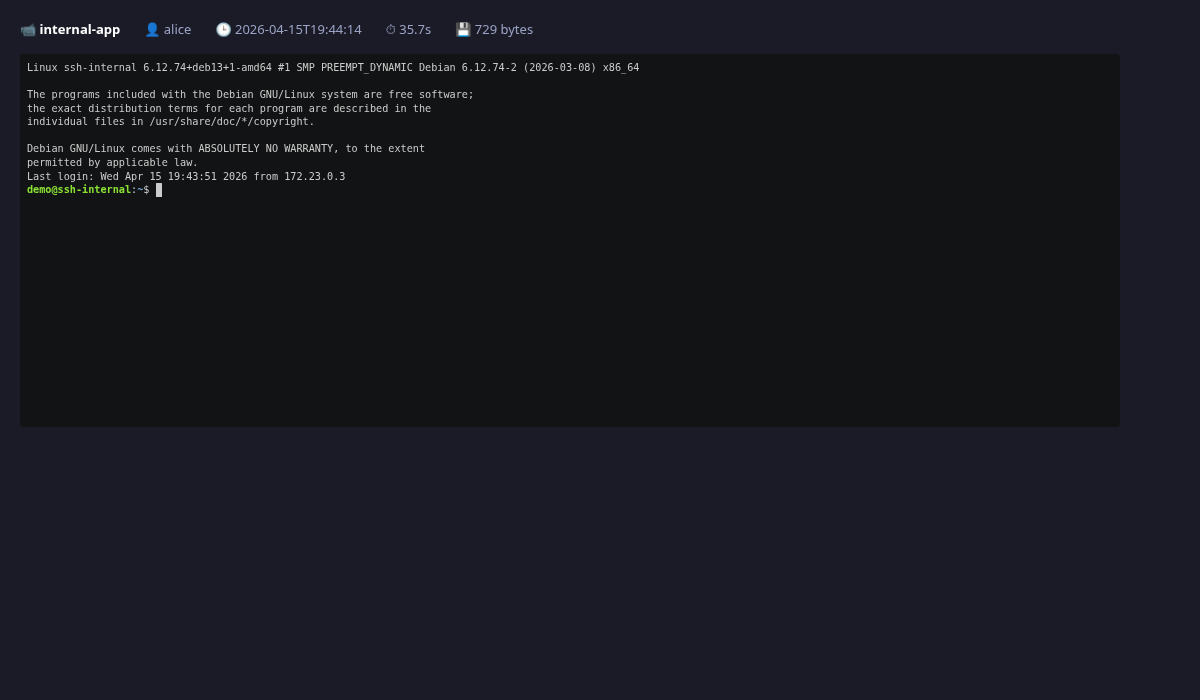
.cast files are plain asciinema v2 JSON Lines under /data/recordings/ inside the container — you can download and asciinema play them locally too.
8 · Non-admin LDAP user — scoped visibility
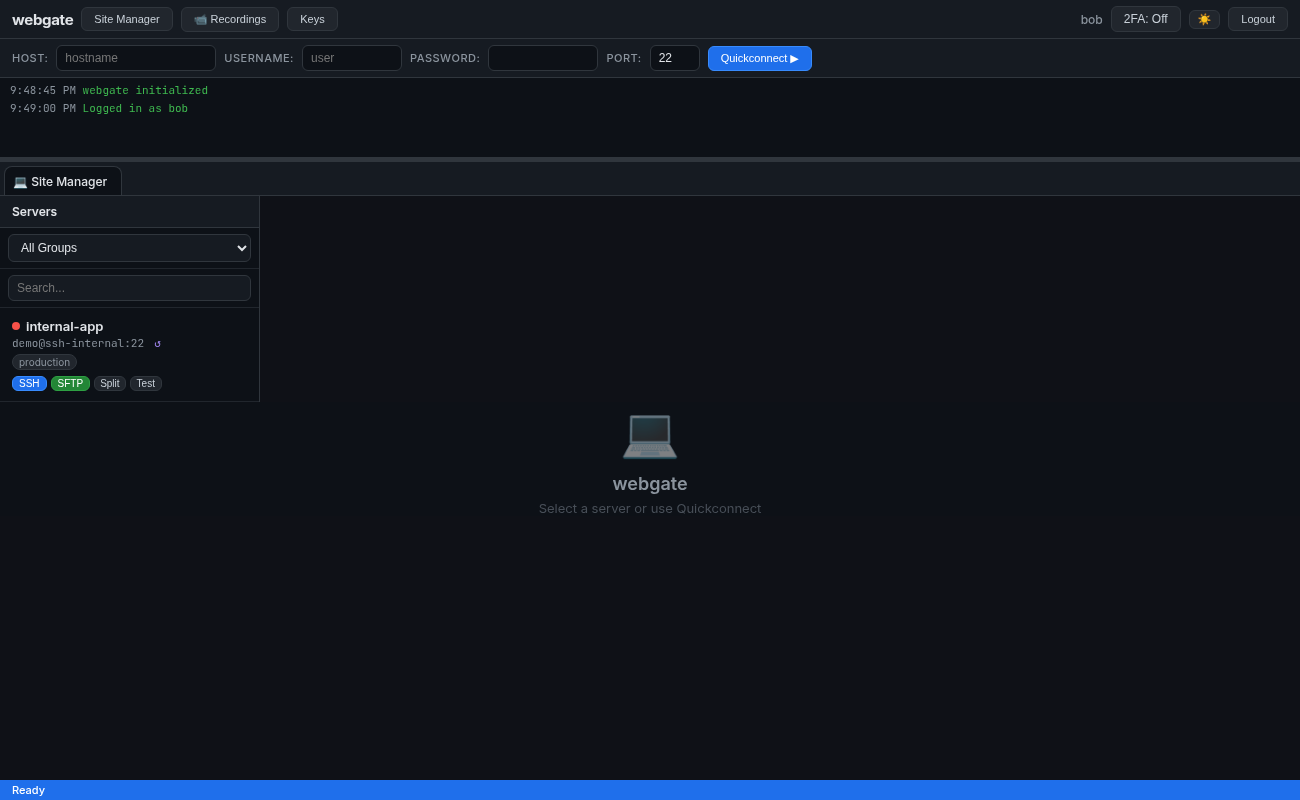
Log in as bob (LDAP group devs → webgate group production):
curl -s http://localhost:8443/api/auth/me -H "Authorization: Bearer $TOKEN_BOB" | jq
# {
#   "username": "bob",
#   "is_admin": false,
#   "allowed_groups": ["production"]   ← only "devs" → "production" applies
# }

curl -s http://localhost:8443/api/servers -H "Authorization: Bearer $TOKEN_BOB"
# [ { "name": "internal-app", "group": "production" } ]
# ← bob does NOT see demo-server or bastion (both in group "all")
Tear down
Summary — what this playground proves
| Feature | How it's proven |
|---|---|
| LDAP auth + auto-provision | alice/bob never existed locally; log in works; allowed_groups + is_admin derived from LDAP groups |
| Group-based access control | bob (in LDAP devs) only sees servers in webgate group production |
| Jump host / bastion | webgate cannot resolve ssh-internal, yet the terminal + SFTP work through bastion |
| Terminal + SFTP | standard use: list files, edit, upload, download |
| Snippets | button click sends command to active PTY |
| Shared terminal | two browsers share one SSH session, output identical on both |
| Webhooks | receiver logs the POST with HMAC signature on events |
| Session recording | every SSH session captured to asciinema cast, browser replay works |
| Dialect-aware DB | playground uses SQLite; swap WEBGATE_DB_URL for Postgres transparently |